
Removals software · UK & Isle of Man
Removals software that runs the whole job, not just the diary.
MoverBook is a CRM and job management system built for removal companies and man-and-van firms. Enquiries, quotes, jobs, crews, vans and invoices in one place — so the quote you sent on Tuesday is the job on the calendar on Friday and the invoice on Monday, without retyping any of it.
The shape of it
One record, from first call to paid
Enquiry
Phoned in, sent through your own public enquiry form, or forwarded from your lead inbox so it arrives as an enquiry on its own.
Quote
Line items and an inventory, emailed out, accepted or declined online, expiring on its own if ignored.
Job
Created on acceptance. Crew and van assigned on a calendar that knows who is already busy.
Invoice
Deposit and balance on their own due dates, VAT handled, paid by card through your own SumUp account.
What you get
Removal company software, feature by feature
Enquiries that stop going cold
Every enquiry lands in one pipeline with a status, so nothing sits in a phone or an inbox. Give out a public enquiry form on your own link, or forward your existing lead emails to a private MoverBook address and they arrive as enquiries on their own. Customer replies thread back onto the same conversation instead of scattering across mailboxes.
Quote in minutes, not on the back of an envelope
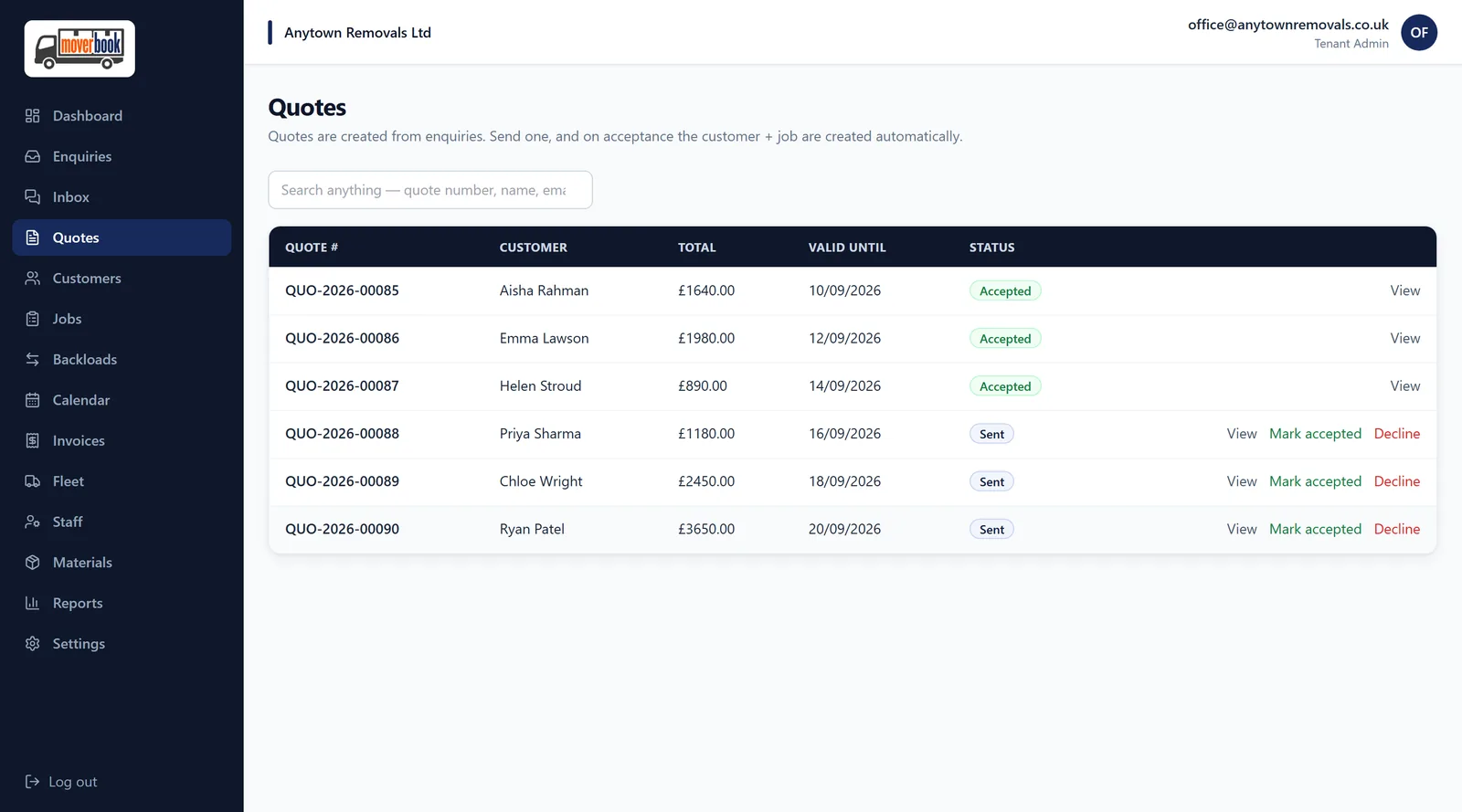
Build a quote from line items and a room-by-room inventory, with pickup and drop-off addresses, property type and floor, bedrooms, packing and time slots. Attach the video from your survey. Send it by email; the customer accepts or declines online; the quote expires on its own if they do not. Acceptance creates the job for you.
One calendar for jobs, crews and vans
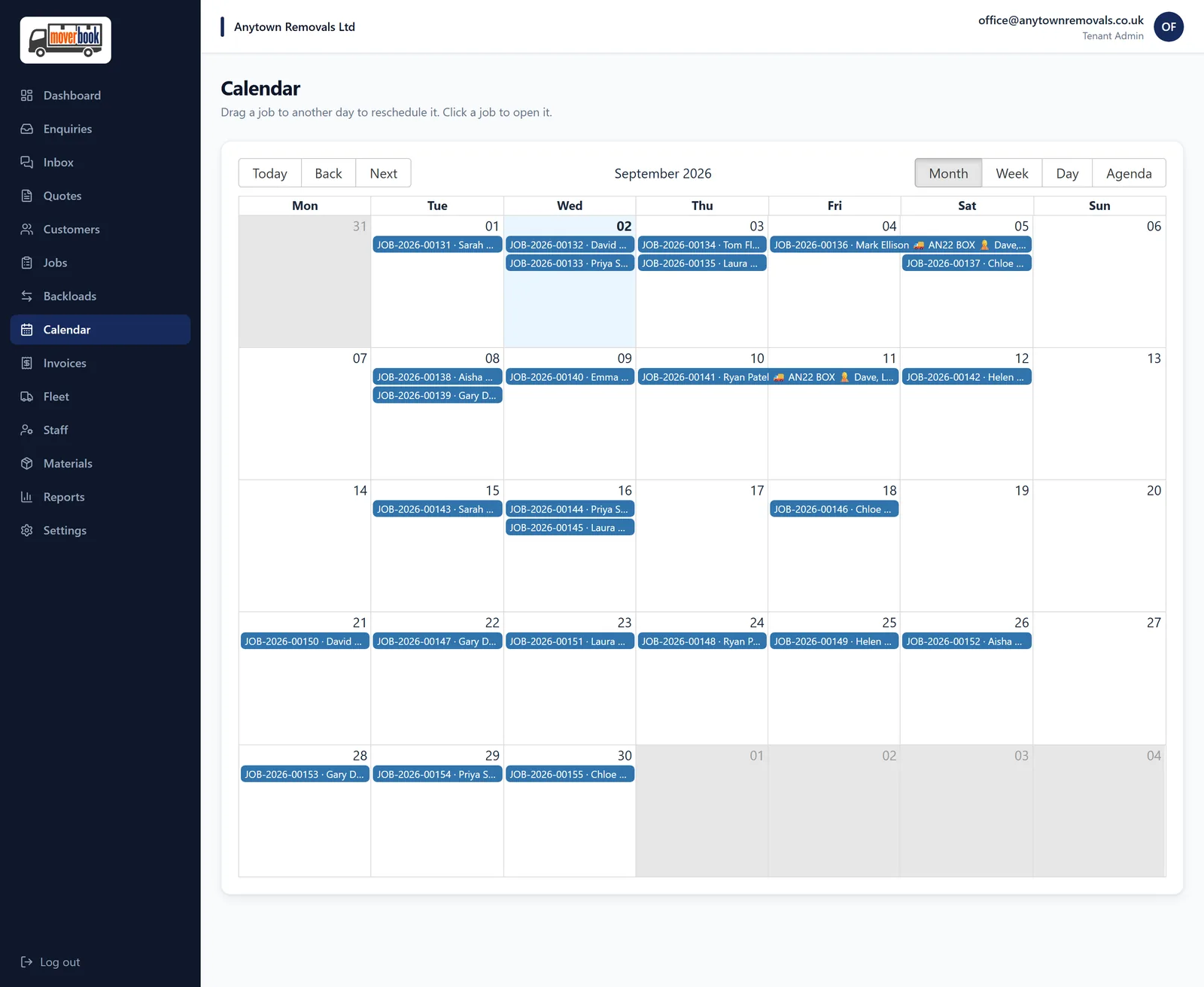
Multi-day moves draw as real spans, not one square. Assign a crew and a vehicle and get warned when someone is already booked. Drag a job to another day when a chain slips. Crew utilisation is a number you can see rather than a feeling.
Invoices, deposits and card payment
Invoice with a deposit and a balance on their own due dates. VAT is handled on customer documents, and reporting shows revenue net of it. Connect your own SumUp account and the customer pays by card from the invoice page — the money goes to you, not through us.
A customer portal with no password to forget
Customers get a private link: accept the quote, pay the invoice, track the job on the day, message you, and leave a star rating when it is done. No account, no app, no support call about a login.
Fleet, materials and the paperwork nobody enjoys
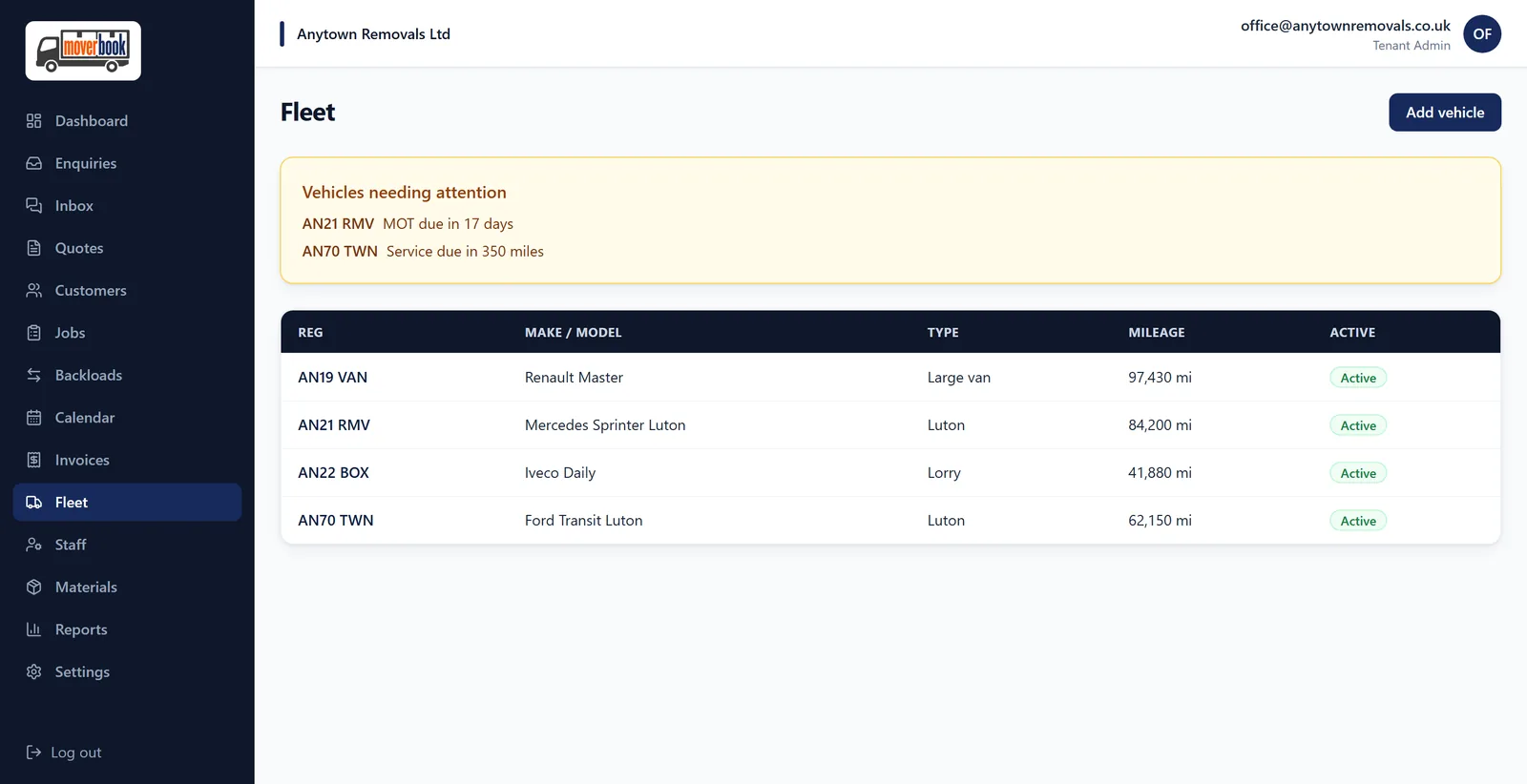
Vehicle records with maintenance logs and MOT and service reminders. A materials catalogue with stock, and materials logged against the job that used them. Six months of reporting on revenue, enquiries, jobs and crew, built from what actually happened.
Reviews asked for automatically
A review request goes out after the job is complete, pointed at whichever platform you care about — Google, Trustpilot, Facebook or your own link. The best time to ask is the day it went well, and that is exactly when it gets sent.
Backloads and return loads
Publish a backload when you are running empty in one direction, or claim someone else’s and turn it into a paying return job. Firms on the platform see each other’s listings, so an empty leg becomes something you can sell rather than something you absorb.
What it looks like
The screens you would actually use
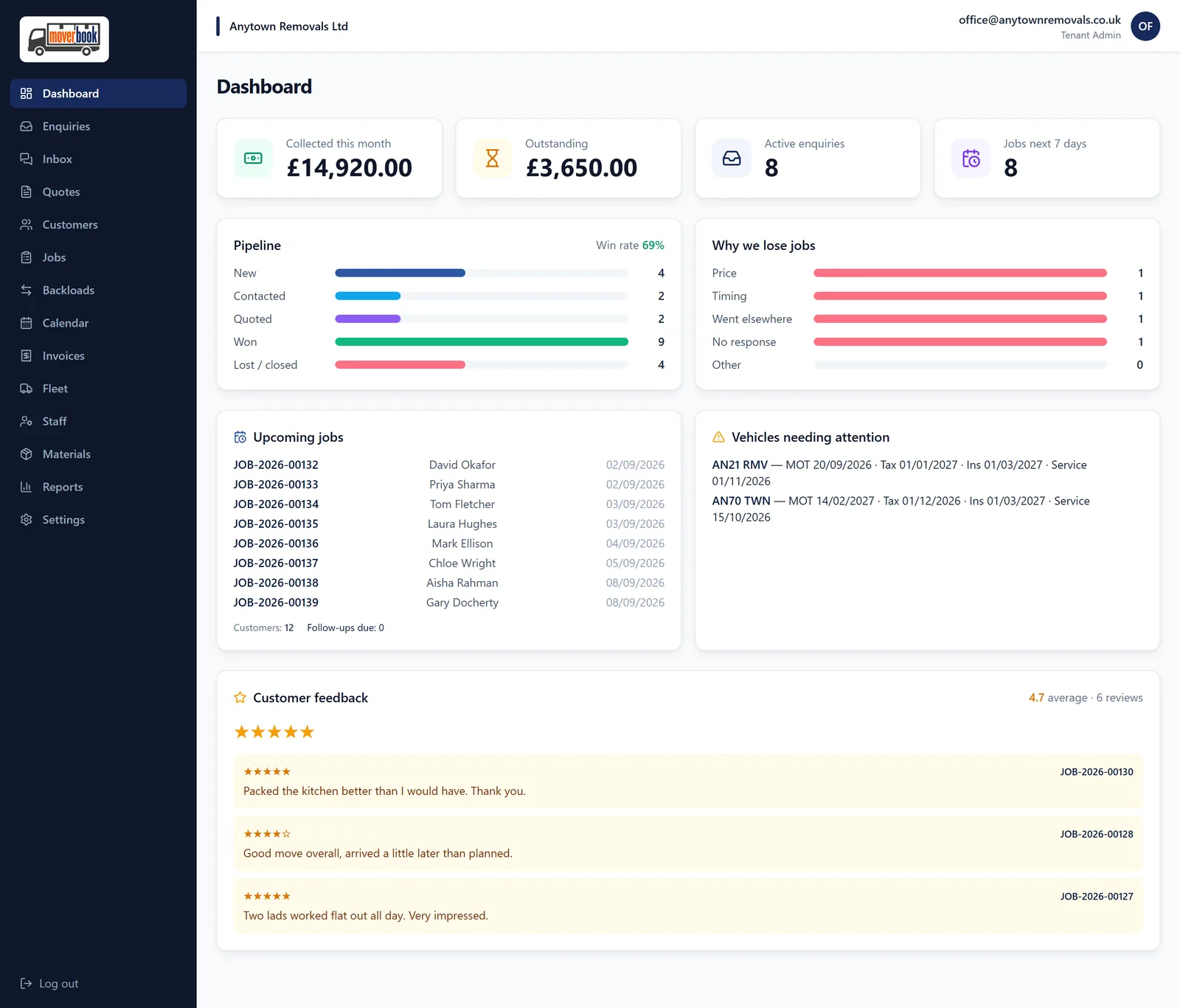
Real screens from the running product, not mock-ups. The firm shown is a fictional one used for demonstration.
Why it is different
Built for movers, on the Isle of Man
Most removals CRMs are a generic field-service product with the word "move" swapped in. This one was built alongside working removal firms, which is why it knows a move can run over two days, that a quote needs an inventory and a floor number, that a deposit and a balance are two different invoices, and that the customer wants to know where the van is without ringing you.
Your customers' data is yours. You are the controller and we are the processor; you set your own retention windows, and personal details are purged on that schedule while the financial record survives for your accounts.
FAQ
Questions removal firms ask
What is removals software actually for?
It replaces the spreadsheet, the wall planner, the quote template and the shoebox of invoices with one system that knows they are all the same job. The point is not the software — it is that the quote you sent, the crew you assigned and the invoice you raised stop being three separate things you have to keep in your head.
Is MoverBook a CRM or a job management system?
Both, because for a removal firm they are the same thing. The enquiry becomes a quote, the quote becomes a job, the job becomes an invoice, and the customer sees their own side of it throughout. Nothing is re-typed between those stages.
Does it work for a man-and-van business, not just a big firm?
Yes. A one-van operation gets the same pipeline, quoting, calendar and invoicing — there is just less of it. The calendar and crew assignment scale up when you add vans and people rather than needing a different product.
Do I have to be in the Isle of Man?
No. MoverBook was built on the Isle of Man and is used by firms there, but it is a UK product — postcodes, VAT, UK GDPR and cross-Irish-Sea moves are all first-class.
How do I take payment from customers?
Connect your own SumUp merchant account in settings. Customers pay by card from their invoice page and the money settles to you directly. We do not sit between you and your customer’s money.
What does it cost, and is there a trial?
You get 14 days free when you register, with no card required. After that it is £75 a month including your first van, then £30 a month for each extra van, excluding VAT — so a four-van firm pays £165 a month. Pay for six months to save 5%, or a year to save 10%. Add a van whenever you need one and you only pay the difference for the rest of your billing period.
Who owns the data in my account?
You do. Your customers’ details are yours — we are the processor, you are the controller. You set your own retention windows, and old personal data is purged on that schedule while the financial record stays intact for your accounts.
Do you check the firms on the platform?
UK limited companies are checked live against Companies House. Isle of Man and Crown Dependency companies, VAT-registered businesses and sole traders record their registration or insurance details. Verification gates who can receive leads and trade backloads.
Further reading
Guides, not sales pages
How to choose removals software
Eight things any system has to do before it is worth paying for, the questions worth asking a vendor, and the pricing traps that catch small firms.
Backloads and return loads
The arithmetic behind an empty return leg, what to charge, where the money quietly goes, and the licence and insurance questions worth settling first.
Pricing a removals job
Volume, hours or fixed price, what the market currently advertises, and the five things that turn a good quote into a bad day.
Starting a removals business
Which licences and insurance are legally compulsory, which only feel optional, and the money realities that catch people in the first year.
Try it on your next enquiry
Fourteen days, everything switched on, no card. If it does not save you an evening of paperwork in the first fortnight, walk away.